 Customer log in
Informax Cloud for hotels
A better guest experience. One simple update.
Your hotel directory, restaurant information, spa treatments and guest offers, accessible throughout your property and simple for your team to keep current.


New dinner hours, same Code
A preview of Informax Cloud, coming soon: real guest screens from the development build, fictional hotel. Informax shows your information and offers; bookings and upgrades stay with your team.
At a glance
Four ways hotels use Informax. Without replacing a card.
- 01
Digital hotel directory
A permanent Code in each room, on the bedside or coffee table, opens your hotel information.
Change restaurant times or anything else without reprinting the directory.
- 02
Spa Access Points
A Code in the guest bathroom opens spa treatments and offers.
Promote an offer with an end time; the treatment menu comes back afterwards.
- 03
Restaurant information
Codes around the property open current menus and restaurant details.
Replace a menu once and every Code for it shows the new one.
- 04
Room upgrade opportunities
Show guests an invitation to ask about a suite or an experience.
Your team takes every enquiry from there.
What Informax does
- Shows guests the information and offers you publish
- Ends temporary content at the time you set, then brings back your usual content
- Keeps every earlier version, ready to restore
What it does not do
- Check room or treatment availability
- Take bookings or payments
- Apply discounts or prices for you
Guests book and enquire with your team, the way they do today.
The in-room directory
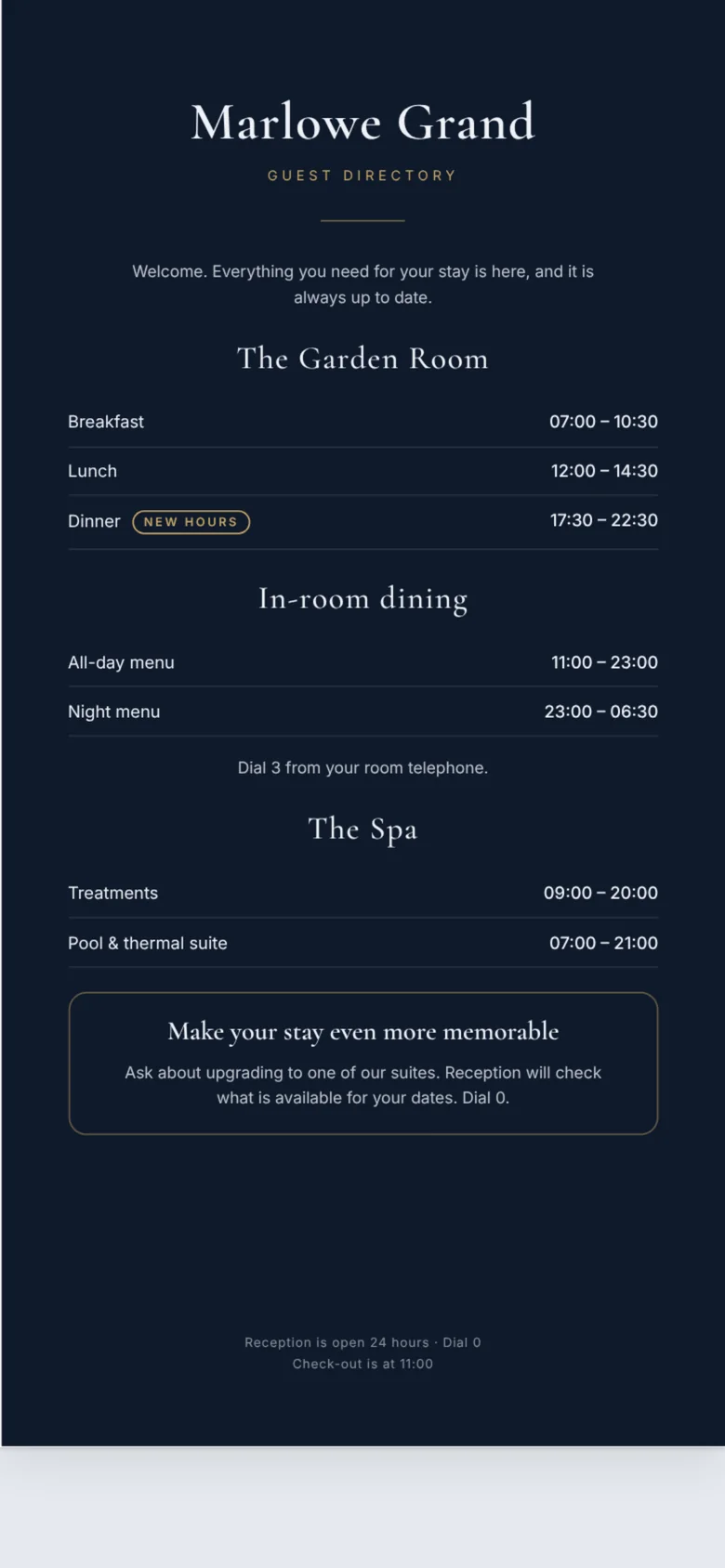
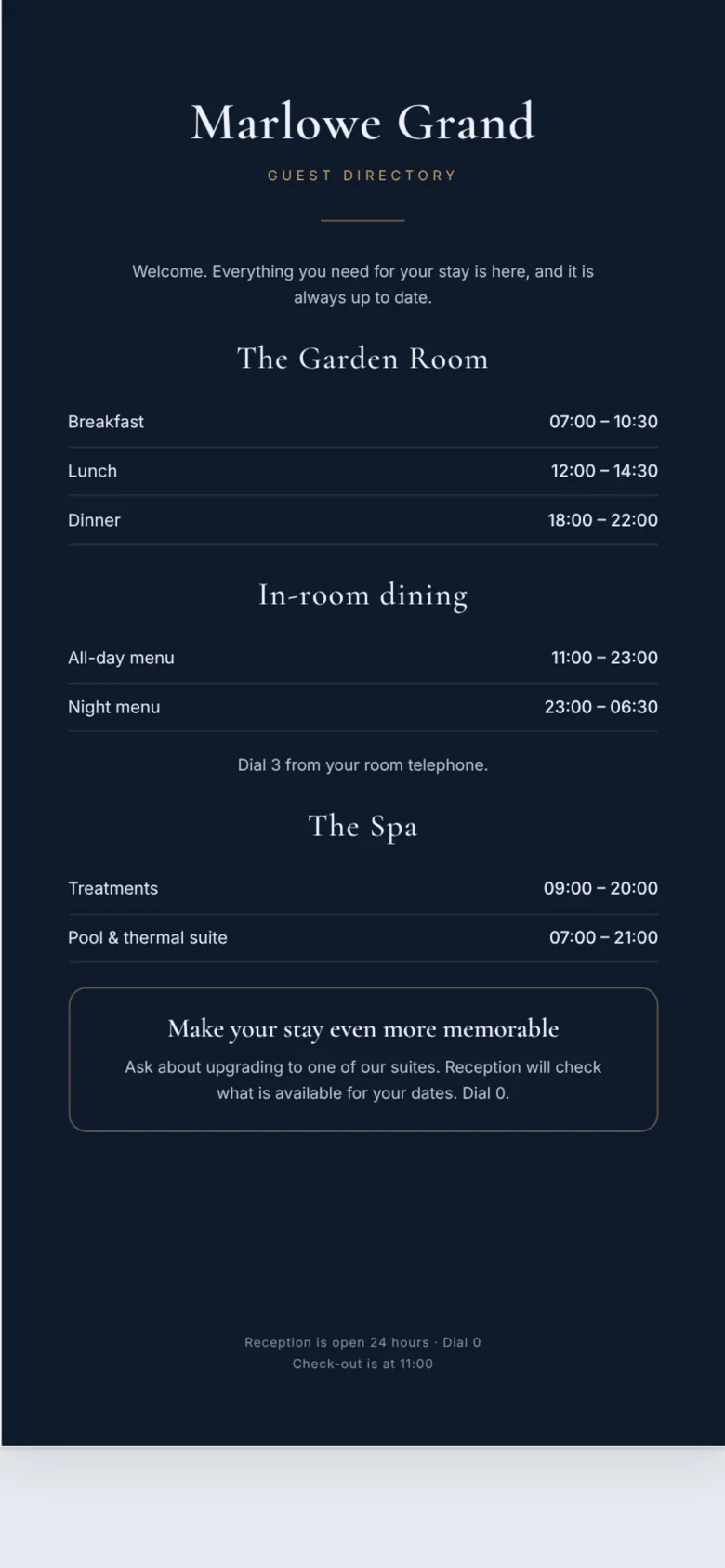
Restaurant hours changed? Every room knows.
A Code card in each room, on the bedside or coffee table, opens your guest directory: dining times, in-room dining, the spa and how to reach reception. No app to download, nothing to sign in to.
When the Garden Room starts dinner earlier, replace the directory once in Informax Cloud. Every room’s card opens the new version. The card itself never changes.
Before
After
Bathroom spa menu
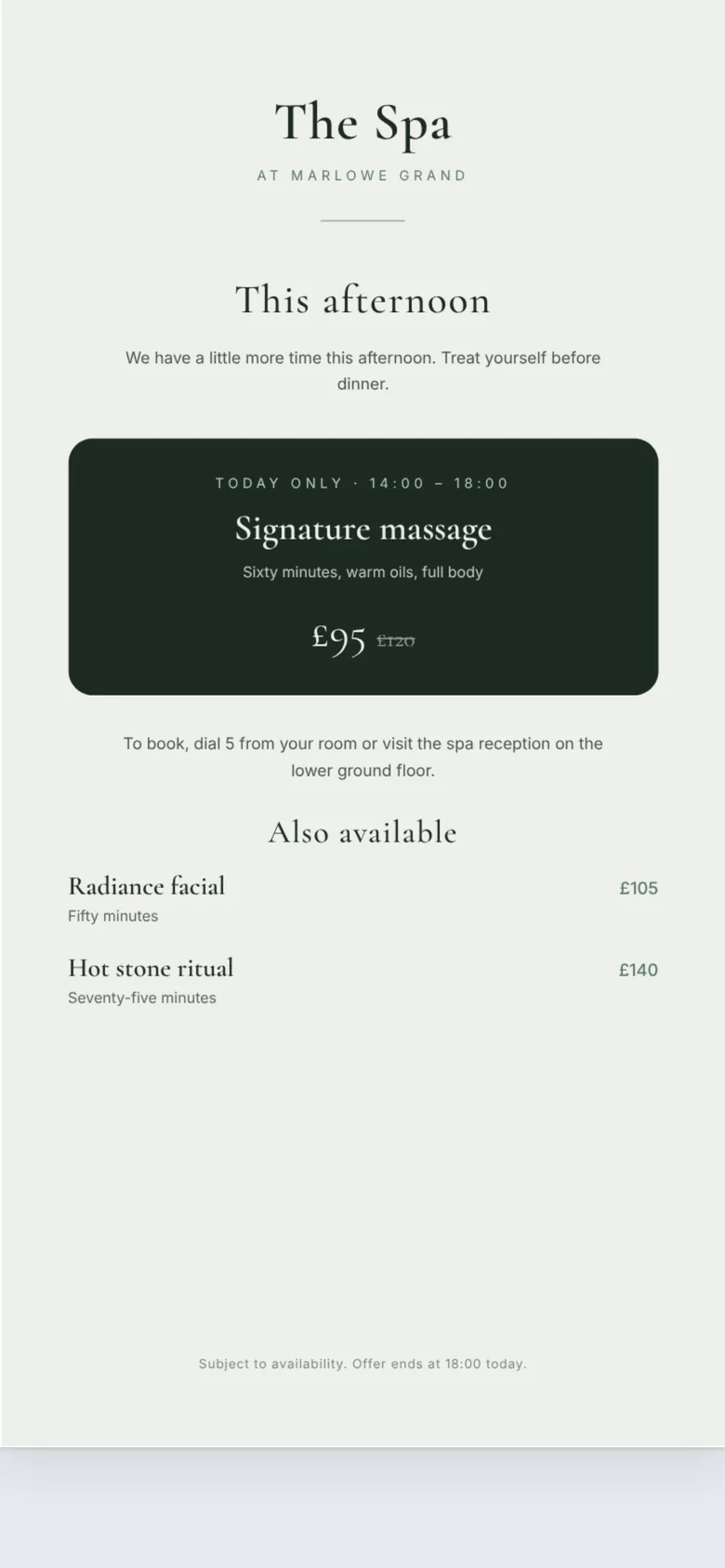
Fill the spa this afternoon. Then put it back.
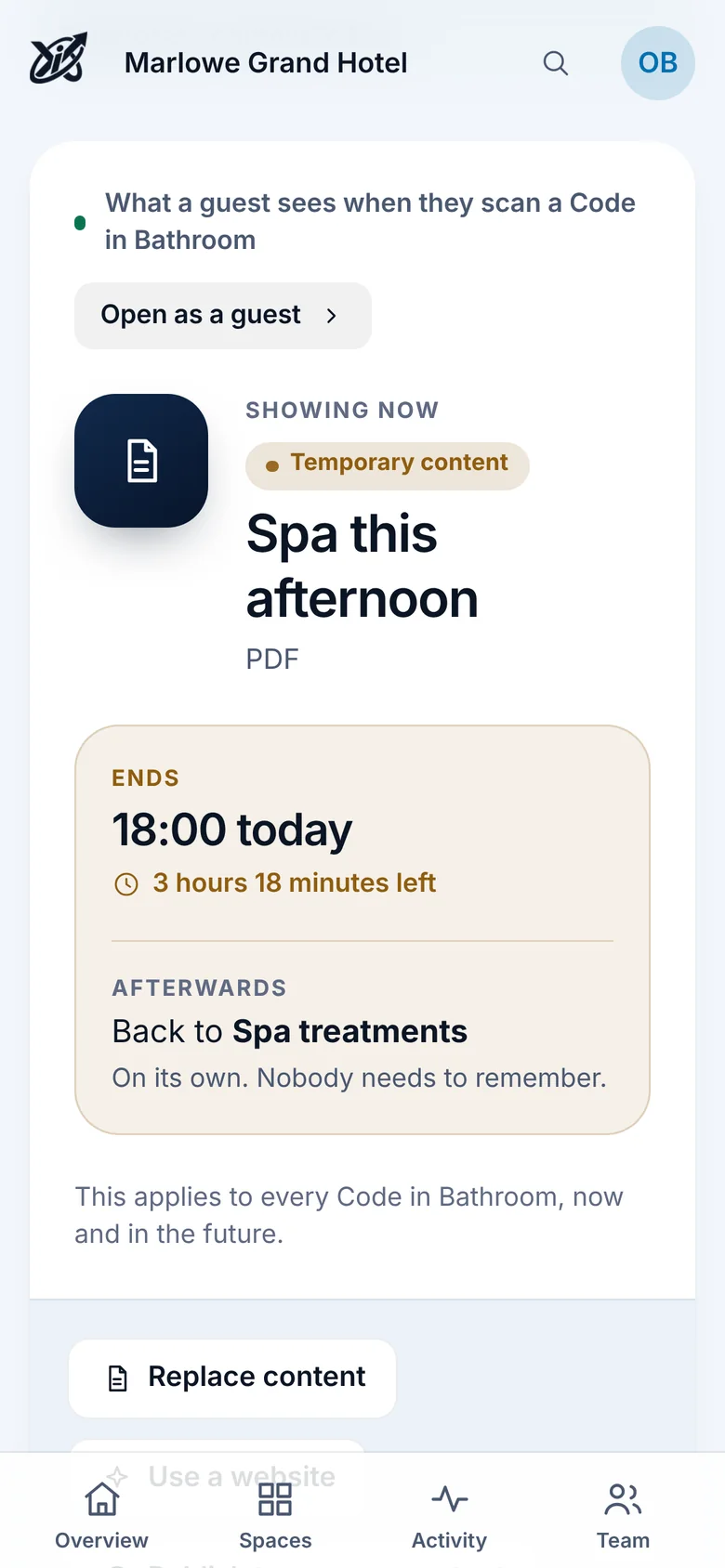
A small Code by the vanity opens the spa’s treatment menu. When the spa has more time free, publish this afternoon’s offer as temporary content with an end time. At 18:00 every bathroom goes back to the treatment menu by itself.
What it does and doesn’t do: Informax shows the offer you publish. It does not check treatment availability, take bookings or apply discounts. Guests book with the spa in the way they do today, by phone or your booking page.

Guest’s phone
Informax Cloud
Room upgrades
Make your stay even more memorable.
Invite guests to ask about a suite, a late check-out or a dinner experience, inside the guest information they already open. Change the invitation whenever your offers change.
This is a promotion, not a booking engine. Informax does not check room availability or take payment: guests contact your team, and your team takes it from there.
Across the whole hotel Coming Soon
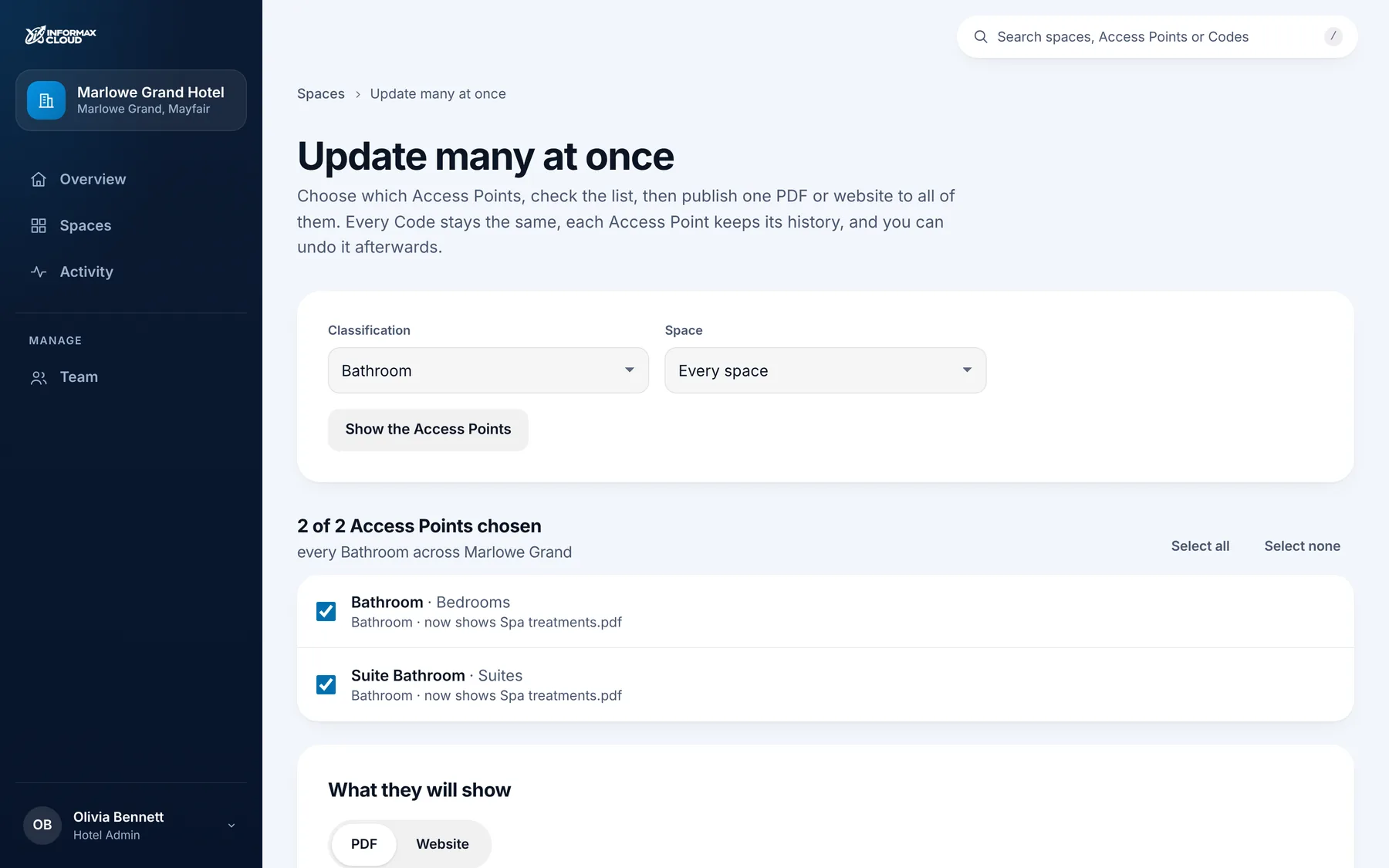
Update every bathroom at once. Or every bedside.
Group your Access Points by type, such as Bathroom, Coffee Table or Bedside Table, then publish one PDF or website to all of them. Every Code stays the same, each keeps its own history, and you can undo it afterwards.
Coming with the new Informax Cloud. Shown: a real screen from the development build, fictional hotel.
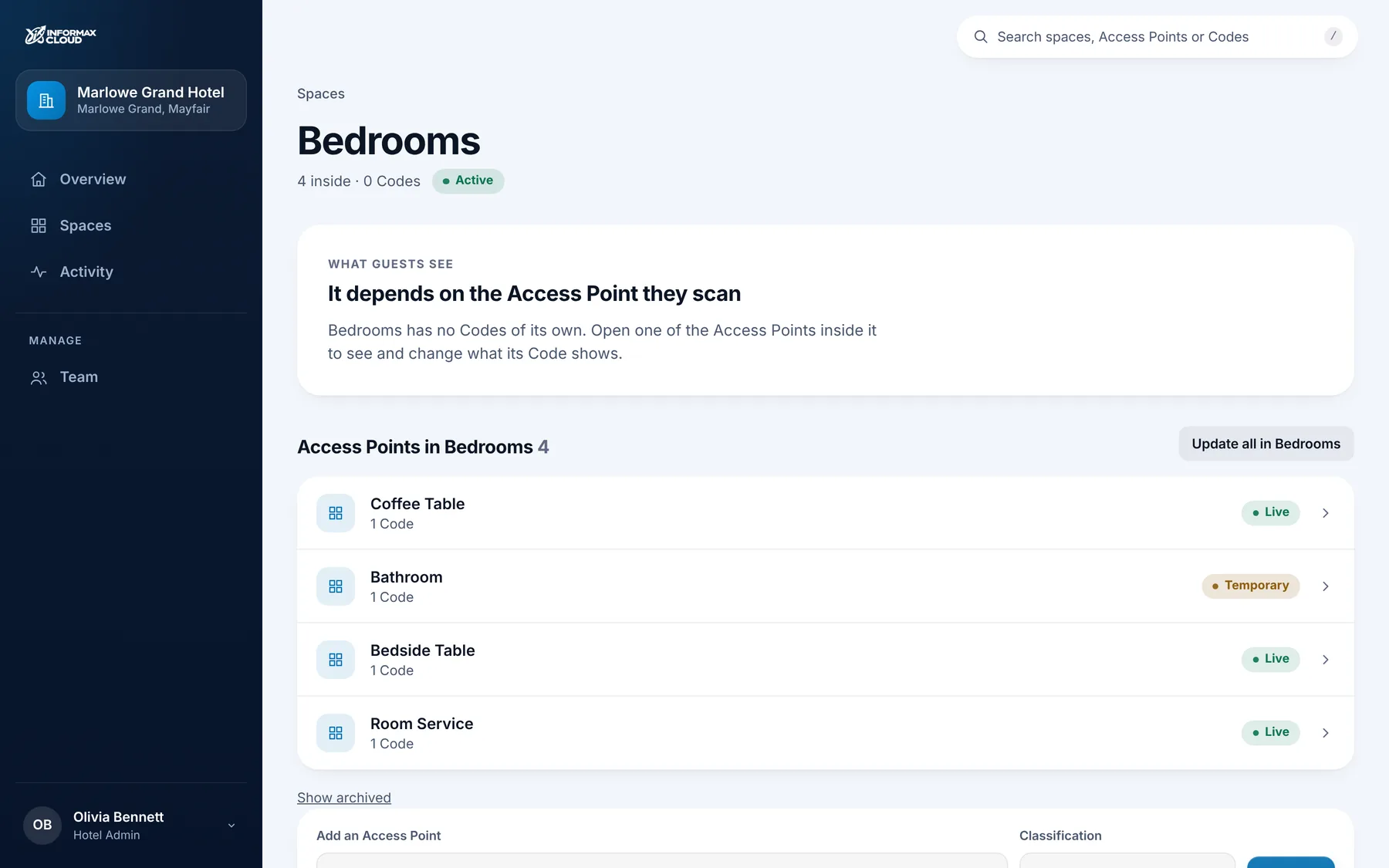
Organised the way your hotel is.
Bedrooms, the spa, restaurants and public areas each hold their own Access Points. At a glance you can see what is live, what is temporary and what still needs setting up.
A preview of Informax Cloud, coming soon. Real screens from the development build; the businesses shown are fictional.
See it in action
Informax Cloud, step by step.
The spa has more time free this afternoon. Here is how the hotel promotes it in every bathroom, just until 18:00.
A preview of upcoming functionality, not a live account. Every screen is a real capture of Informax Cloud’s development build, which is coming soon, using a fictional hotel. Captions outside the phones are ours.
At the Access Point

Bathroom
The Spa
One Code in every bathroom.
Keep every guest up to date.
See Informax Cloud with your own directory and spa menu, and talk to us about where your Codes would sit.